
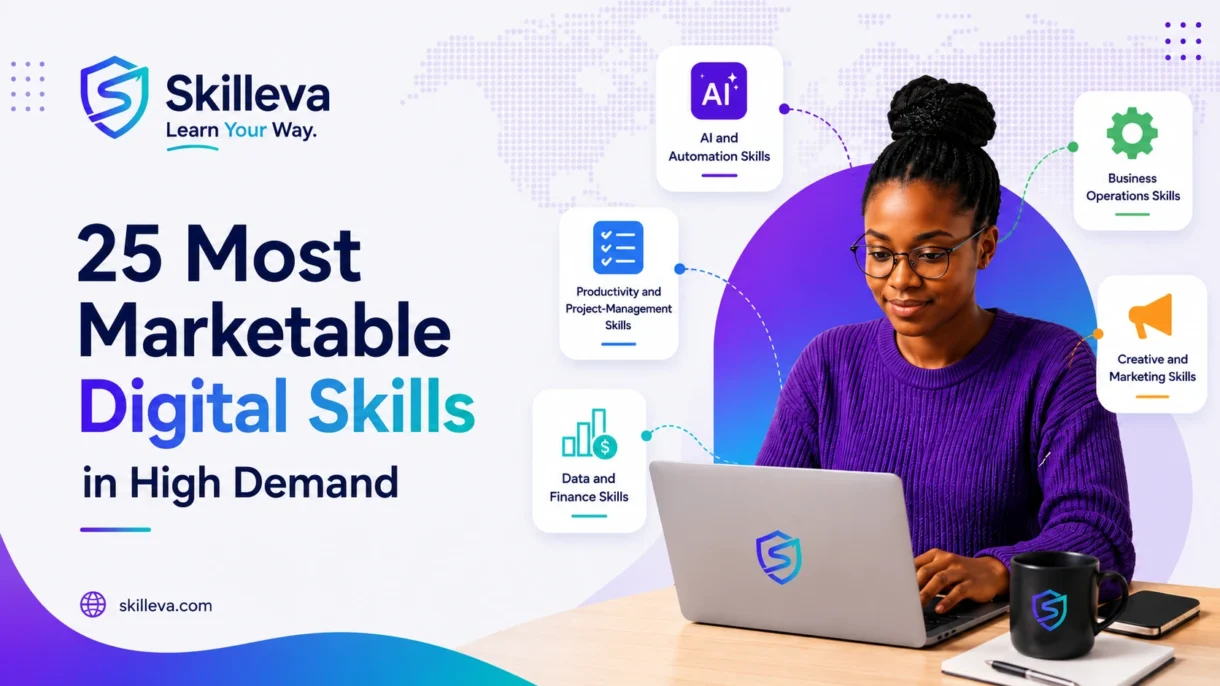
Marketable and in-demand digital skills today shape how people communicate, manage projects, market businesses, serve customers, analyze information, process payments, and make everyday decisions.
That is why digital skills have become valuable across almost every industry.
The World Economic Forum expects technological skills to grow in importance faster than other skill categories through 2030. AI and big data lead its list of fastest-growing skills, followed by networks and cybersecurity and technological literacy. Employers also continue to value human capabilities such as analytical thinking, creativity, resilience and lifelong learning. (World Economic Forum)
This does not mean everyone must become a software engineer.
A digital skill can be as advanced as building an artificial-intelligence system—or as practical as managing projects in ClickUp, analyzing information in Excel, creating designs in Canva or automating repetitive tasks with Zapier.
The best digital skills help you do at least one of four things:
- perform work more efficiently;
- solve meaningful problems;
- create measurable value;
- qualify for better career or business opportunities.
This guide explains 25 digital skills that are likely to remain valuable beyond 2026, who should learn them, the tools associated with them, and how to start building practical ability.
Quick answer: Which digital skills are most in demand?
The most valuable digital skills currently include:
- Artificial intelligence literacy
- Prompt engineering
- Generative AI productivity
- AI-assisted research and analysis
- Workflow automation
- Google Workspace
- Microsoft 365
- Project management
- ClickUp and work-management systems
- Notion and knowledge management
- Virtual assistance
- Customer relationship management
- Business process mapping
- SOP development
- Digital operations
- Graphic design with Canva
- WordPress website management
- Content writing
- Search engine optimization
- Digital marketing
- Microsoft Excel
- Google Sheets
- Cloud accounting
- Data analysis
- Data visualization
The right choice depends on your goals. A freelancer may benefit most from virtual assistance, client communication and project tools. A business owner may gain more from CRM, automation and digital operations. Someone pursuing an analytical career may prioritize spreadsheets, data analysis and visualization.
Go to Section
- What are digital skills?
- Why digital skills matter
- How these skills were selected
- AI and automation skills
- Productivity and project-management skills
- Business operations skills
- Creative and marketing skills
- Data and finance skills
- Comparison of all 25 skills
- How to choose the right digital skill
- How to learn digital skills effectively
- Frequently asked questions
What Are Digital Skills?
Digital skills are the abilities required to use technology effectively, safely and productively.
They range from basic activities—such as sending email, managing documents and joining virtual meetings—to specialized capabilities such as automation, digital marketing, cloud accounting and data analysis.
Digital skills can be grouped into three broad levels.
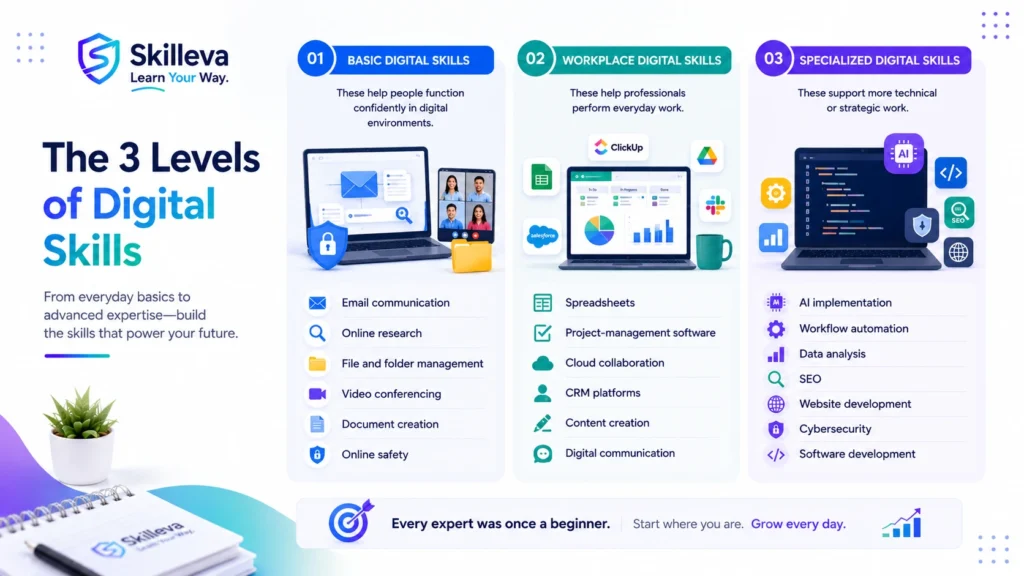
Basic digital skills
These help people function confidently in digital environments:
- email communication;
- online research;
- file and folder management;
- video conferencing;
- document creation;
- online safety.
Workplace digital skills
These help professionals perform everyday work:
- spreadsheets;
- project-management software;
- cloud collaboration;
- CRM platforms;
- content creation;
- digital communication.
Specialized digital skills
These support more technical or strategic work:
- AI implementation;
- workflow automation;
- data analysis;
- SEO;
- website development;
- cybersecurity;
- software development.
The OECD notes that workers across an expanding range of occupations need both general and advanced ICT capabilities as digital technologies change how work is performed. (OECD)
Why Digital Skills Matter More Than Ever
Digital skills matter because work itself is changing.
The World Economic Forum estimates that structural labour-market changes could affect 22% of existing jobs by 2030. It projects 170 million new roles and 92 million displaced roles, producing a net increase of 78 million—but also creating an urgent need for reskilling. (World Economic Forum)
Several forces are driving this shift.
AI is becoming part of ordinary work
AI is increasingly integrated into writing, analysis, customer service, coding, research and business operations. Microsoft’s 2025 Work Trend Index describes the emergence of organizations built around hybrid teams of people and AI agents, making AI literacy and effective human–AI collaboration increasingly relevant. (Source)
Remote and distributed work require digital confidence
Remote teams rely on cloud documents, project-management systems, virtual meetings and asynchronous communication. A person may be highly capable in their profession but still struggle if they cannot collaborate effectively through digital tools.
Businesses need more efficient systems
Small and growing businesses often lose time through repetitive tasks, scattered information and unclear processes. Skills in automation, CRM management, project tools and process documentation help address those problems.
Skills-first hiring is gaining attention
A skills-first approach gives greater weight to what someone can demonstrate, rather than relying exclusively on degrees or job titles. OECD research describes growing interest in skills-first labour-market practices amid digital and demographic change. (OECD)
Digital skills create several career paths
A skill can support:
- formal employment;
- remote work;
- freelancing;
- consulting;
- entrepreneurship;
- promotion within an existing role.
The real advantage is not merely knowing a tool. It is knowing how to use that tool to produce a result.
How We Selected These 25 Skills
This list is not based only on what is currently popular on social media.
Each skill was evaluated against six practical questions:
- Is it useful across several roles or industries?
- Can it help someone create measurable value?
- Can a beginner begin learning it online?
- Does it support employment, freelancing or business growth?
- Is demand likely to continue beyond one year?
- Can competence be demonstrated through projects or a portfolio?
Tools will change. The underlying abilities—solving problems, organizing work, communicating clearly, using data and improving systems—are more durable.
AI and Automation Skills
1. Artificial Intelligence Literacy
AI literacy is the ability to understand what artificial intelligence can do, where it fails and how to use it responsibly.
You do not need to build machine-learning models to become AI-literate. For most professionals, it means understanding:
- generative AI;
- AI assistants and agents;
- responsible use;
- privacy and security;
- hallucinations and verification;
- effective human oversight.
Why it is in demand
AI and big data rank as the fastest-growing skill area in the World Economic Forum’s 2025–2030 outlook. (World Economic Forum)
Who should learn it?
Almost everyone who works with information, including administrators, marketers, business owners, educators, analysts, freelancers and project managers.
How to learn it
Start by learning:
- how generative AI systems work at a basic level;
- what information should never be shared with public tools;
- how to review AI-generated output;
- how AI can support your existing role;
- where human judgment remains essential.
Practice project
Identify five recurring tasks in your work and test where AI can improve speed without compromising accuracy or privacy.
2. Prompt Engineering
Prompt engineering is the ability to give AI systems clear instructions, relevant context, useful constraints and appropriate examples.
The goal is not to memorize “magic prompts.” It is to communicate the task well.
A strong prompt usually includes:
- the objective;
- the audience;
- relevant background;
- required format;
- constraints;
- examples;
- a quality-checking step.
Why it matters
The quality of AI output often depends on the quality of the instructions and context provided. Prompting is becoming part of broader AI literacy rather than remaining a narrow specialist role.
Who should learn it?
Writers, marketers, researchers, managers, assistants, trainers, consultants and anyone using generative AI at work.
How to learn it
Use a repeatable framework:
Role + task + context + requirements + output format + quality criteria
Then compare results, refine the prompt and document what works.
Practice project
Create a prompt library for one role, such as:
- customer-support replies;
- meeting summaries;
- marketing briefs;
- research synthesis;
- SOP creation.
3. Generative AI Productivity
Generative AI productivity means using tools such as ChatGPT, Claude, Gemini or Microsoft Copilot to complete work more effectively.
Useful applications include:
- drafting;
- brainstorming;
- summarizing;
- analyzing documents;
- preparing meeting notes;
- creating outlines;
- converting information into tables;
- generating first versions of procedures.
The important distinction
Copying AI output is not a professional skill.
The skill lies in directing the tool, checking the work, improving it and applying judgment.
How to learn it
Choose one practical workflow at a time:
- define the task;
- create a good prompt;
- assess the response;
- verify factual claims;
- edit for tone and accuracy;
- measure time saved.
Practice project
Build an AI-assisted content or administrative workflow and document where human review is required.
4. AI-Assisted Research and Analysis
AI-assisted research is the ability to use digital tools to find, compare, organize and evaluate information.
It includes:
- forming good research questions;
- locating credible sources;
- distinguishing primary from secondary evidence;
- checking dates and context;
- identifying contradictions;
- synthesizing findings;
- citing sources correctly.
Why it matters
AI can accelerate research, but it can also fabricate information or misrepresent sources. Therefore, verification is a core part of the skill.
Who should learn it?
Students, researchers, consultants, content creators, business owners and professionals who make evidence-based decisions.
Practice project
Research a business question using at least three authoritative sources. Produce a one-page brief separating:
- verified findings;
- assumptions;
- unresolved questions;
- recommendations.
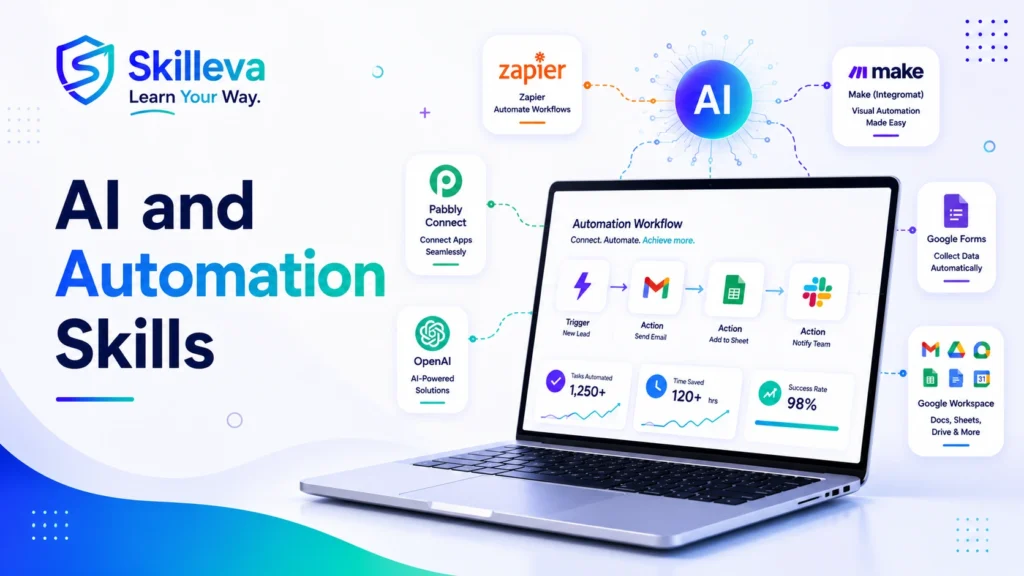
5. Workflow Automation
Workflow automation uses technology to move information or trigger actions automatically.
For example:
A customer completes a form → their details enter a CRM → a confirmation email is sent → a task is created → the team is notified.
Common tools include Zapier, Make, Pabbly Connect and built-in automations inside CRM or project-management platforms.
Why it is valuable
Automation reduces repetitive work, shortens response times and improves consistency. As organizations redesign processes around AI and digital systems, the ability to identify and automate suitable tasks becomes increasingly useful. (The Official Microsoft Blog)
What to learn first
- triggers and actions;
- field mapping;
- filters and conditions;
- webhooks at a basic level;
- error handling;
- testing;
- documentation;
- privacy and access permissions.
Practice project
Automate a lead-capture workflow from a form to a spreadsheet or CRM, followed by an email notification and task creation.
Productivity and Project-Management Skills
6. Google Workspace
Google Workspace includes Gmail, Drive, Docs, Sheets, Slides, Forms, Calendar and Meet.
Using these tools individually is basic digital literacy. Using them together as a reliable business system is a more valuable skill.
Practical capabilities
- organizing shared drives;
- controlling file permissions;
- building Forms-to-Sheets workflows;
- managing calendars;
- creating reusable document templates;
- collaborating without duplicate files;
- maintaining naming conventions.
Who should learn it?
Virtual assistants, administrators, remote workers, small-business teams, project coordinators and educators.
Practice project
Build a simple client-onboarding system using Forms, Sheets, Drive, Docs, Calendar and Gmail.
7. Microsoft 365
Microsoft 365 remains central to many corporate and professional environments.
It includes tools such as:
- Word;
- Excel;
- PowerPoint;
- Outlook;
- Teams;
- SharePoint;
- OneDrive;
- Power Automate;
- Copilot.
Why it matters
Knowledge of Microsoft 365 can support roles in administration, finance, operations, project management and corporate communication.
Practice project
Create a departmental workspace with:
- a SharePoint document structure;
- a Teams communication plan;
- an Excel tracker;
- an automated approval workflow.
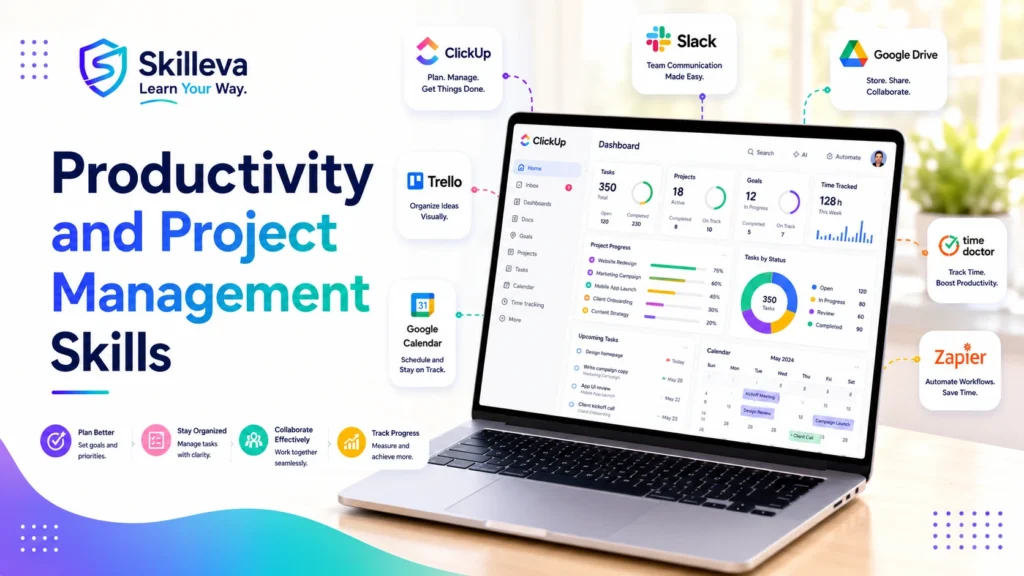
8. Digital Project Management
Digital project management is the ability to plan, coordinate and monitor work using digital systems.
It combines tool knowledge with management fundamentals:
- scope;
- deadlines;
- dependencies;
- responsibilities;
- communication;
- risks;
- status reporting.
Tools
ClickUp, Asana, Monday.com, Trello, Jira and Microsoft Planner.
Why it matters
A project tool does not solve unclear ownership or poor planning by itself. Skilled project coordinators know how to turn goals into structured, trackable work.
Practice project
Plan a website launch with:
- phases;
- milestones;
- tasks;
- owners;
- deadlines;
- dependencies;
- risks;
- weekly reporting.
9. ClickUp and Work-Management Systems
ClickUp is one example of a broader skill: designing and administering work-management systems.
That involves more than creating tasks.
Valuable abilities
- workspace architecture;
- statuses;
- custom fields;
- templates;
- automations;
- dashboards;
- permissions;
- workload views;
- recurring workflows;
- governance.
Who should learn it?
Operations professionals, project managers, agency owners, executive assistants and implementation consultants.
Practice project
Build a client-delivery workspace containing intake, onboarding, delivery, review and offboarding stages.
10. Notion and Knowledge Management
Knowledge management ensures that useful information is documented, organized, maintained and easy to find.
Notion is a popular tool for:
- team wikis;
- SOP libraries;
- project pages;
- content calendars;
- training hubs;
- internal documentation.
The real skill
The skill is not decorating pages. It is designing information so that people can use it.
Practice project
Create a searchable operations hub containing:
- company policies;
- role guides;
- standard procedures;
- templates;
- frequently asked questions;
- document ownership and review dates.
Business Operations Skills
11. Virtual Assistance
Virtual assistance combines administrative, technical, and communication skills to support clients remotely.
Common services include:
- calendar and inbox management;
- customer support;
- research;
- data entry;
- project coordination;
- CRM updates;
- social-media support;
- website administration.
Why it remains relevant
The role continues to evolve. Basic task execution is increasingly automated, while capable virtual assistants are moving toward coordination, systems management, and specialized support.
How to stand out
Do not market yourself only as someone who can “help with anything.”
Build a clear specialization, such as:
- executive assistance;
- digital operations;
- bookkeeping support;
- marketing assistance;
- course administration;
- CRM management.
Practice project
Create a complete client-support portfolio with sample inbox rules, a calendar system, a project board and an SOP.
12. Customer Relationship Management
CRM skills involve managing customer information, sales activities and service interactions through systems such as HubSpot, GoHighLevel, Salesforce or Zoho.
Core capabilities
- pipeline design;
- contact organization;
- custom fields;
- lead stages;
- follow-up tasks;
- email sequences;
- reporting;
- integrations;
- data hygiene.
Why it matters
A CRM becomes valuable only when it reflects a clear customer journey. Poorly structured data leads to missed follow-ups and unreliable reporting.
Practice project
Build a pipeline from new inquiry through qualification, proposal, sale and onboarding.
13. Business Process Mapping
Process mapping shows how work moves from beginning to end.
It helps teams identify:
- unnecessary steps;
- repeated data entry;
- bottlenecks;
- unclear ownership;
- control weaknesses;
- automation opportunities.
Common methods
- flowcharts;
- swimlane diagrams;
- SIPOC;
- current-state and future-state maps;
- service blueprints.
Practice project
Map a customer-onboarding process. Mark every handoff, waiting period, system and decision point. Then design an improved version.
14. SOP Development
A standard operating procedure explains how to perform a recurring process consistently.
Good SOPs reduce dependence on memory and make training easier.
A useful SOP includes
- purpose;
- scope;
- owner;
- prerequisites;
- step-by-step instructions;
- screenshots where useful;
- exceptions;
- quality checks;
- escalation process;
- review date.
Common mistake
Many SOPs are written but never used. A practical SOP must match the real process, be easy to locate and have a clear owner.
Practice project
Document one recurring workflow and ask someone unfamiliar with it to follow the instructions. Improve the SOP based on where they struggle.
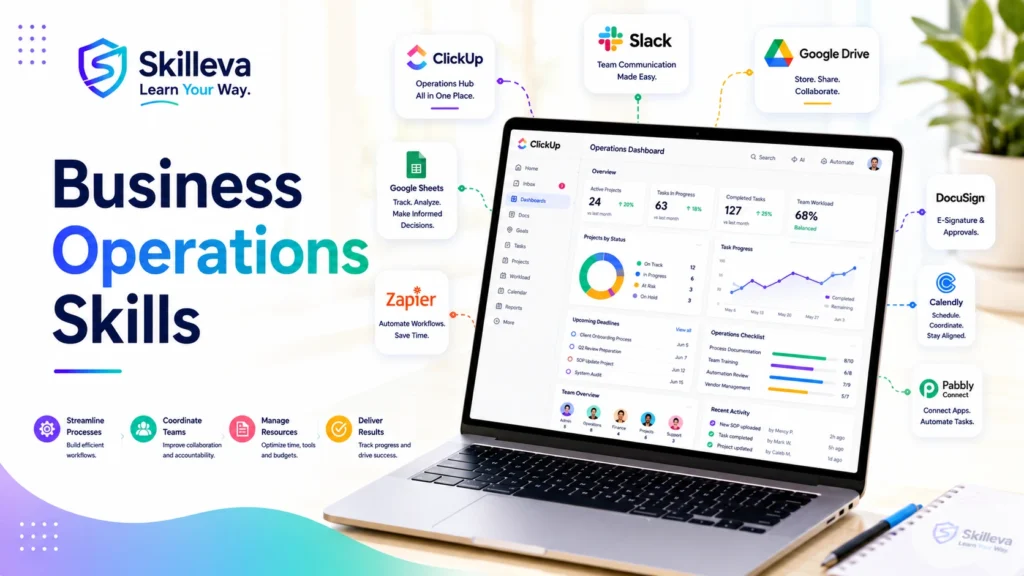
15. Digital Operations
Digital operations is the coordination of people, processes, data and technology so that work runs reliably.
It may include:
- workflow design;
- project systems;
- automation;
- reporting;
- SOPs;
- tool administration;
- data quality;
- team coordination.
Why it is valuable
Businesses often adopt many tools without building a coherent operating system. Digital-operations professionals connect those tools and ensure that workflows support business goals.
Practice project
Conduct a simple operations audit covering:
- tools;
- recurring workflows;
- ownership;
- data movement;
- reporting;
- documentation;
- risks.
Creative and Marketing Skills

16. Canva Design
Canva makes design accessible, but producing professional communication still requires judgment.
Important principles
- visual hierarchy;
- alignment;
- spacing;
- typography;
- consistency;
- contrast;
- brand application;
- export quality.
Possible applications
- social-media graphics;
- presentations;
- workbooks;
- lead magnets;
- course materials;
- simple videos;
- marketing assets.
Practice project
Create a small brand kit and use it to produce a five-piece campaign across several formats.
17. WordPress Website Management
WordPress skills can support website owners, agencies, virtual assistants and digital marketers.
Useful abilities
- page editing;
- theme and plugin management;
- backups;
- user roles;
- basic security;
- performance optimization;
- SEO settings;
- analytics installation;
- content publishing.
Important boundary
A website administrator does not need to be an advanced developer, but should understand when a problem requires technical escalation.
Practice project
Build a five-page website with:
- mobile-responsive layouts;
- navigation;
- contact form;
- basic SEO;
- backups;
- security settings;
- analytics.
18. Digital Content Writing
Digital content writing means communicating clearly for online audiences.
It includes:
- blog articles;
- web copy;
- email campaigns;
- scripts;
- social posts;
- product descriptions;
- help documentation.
What makes it valuable
Strong writing helps people understand, trust and act. AI can support drafting, but writers still need research, judgment, originality and editorial discipline.
Core abilities
- understanding intent;
- structuring information;
- writing clear headlines;
- editing;
- fact-checking;
- adapting tone;
- creating useful examples.
Practice project
Create an article, landing page and email sequence around one topic, adapting the message to each format.
19. Search Engine Optimization
SEO improves the visibility and usefulness of web content for search engines and users.
It includes:
- keyword research;
- search-intent analysis;
- content structure;
- on-page optimization;
- internal linking;
- technical SEO;
- digital PR and authority building;
- performance measurement.
SEO has changed
Modern SEO is not about repeating a keyword. It is about creating the most useful resource for a clearly defined need while making the content easy to discover, understand and trust.
AI-search relevance
Content is more likely to be useful to AI search systems when it contains:
- direct answers;
- clear definitions;
- structured headings;
- original experience;
- trustworthy references;
- concise comparisons;
- accurate entity information.
Practice project
Optimize one article around a specific problem, then measure impressions, clicks, rankings and user behavior over time.
20. Digital Marketing
Digital marketing uses online channels to attract, nurture and convert an audience.
It may include:
- content marketing;
- email marketing;
- social media;
- search marketing;
- paid advertising;
- landing pages;
- conversion optimization;
- analytics.
Why it remains valuable
Tools and platforms change, but businesses will continue to need customer acquisition, communication and retention.
Practice project
Design a simple campaign that includes:
- audience definition;
- offer;
- landing page;
- traffic source;
- email follow-up;
- conversion goal;
- reporting plan.
Data and Finance Skills
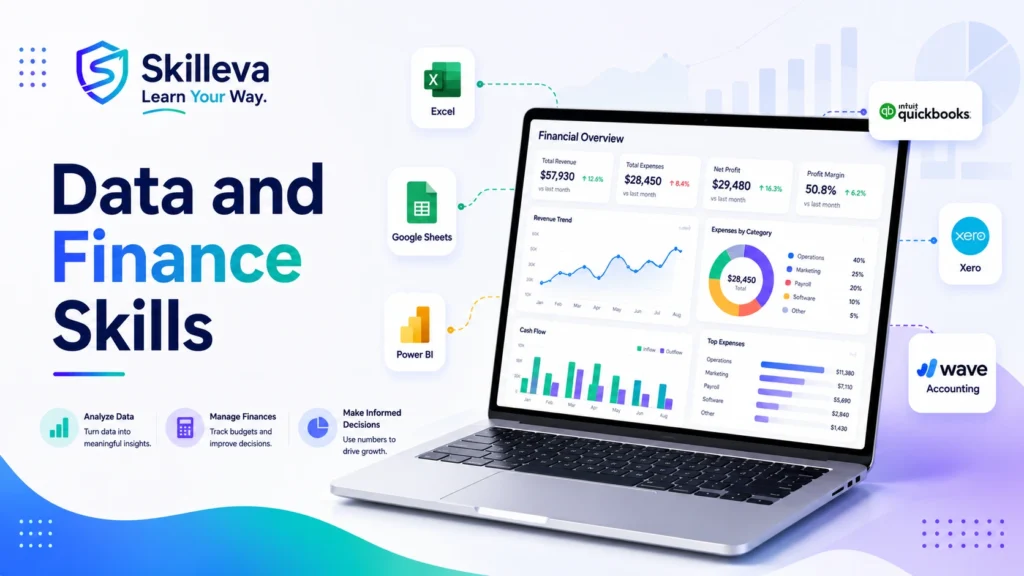
21. Microsoft Excel
Excel remains one of the most practical workplace tools.
Valuable capabilities
- formulas;
- tables;
- sorting and filtering;
- conditional formatting;
- data validation;
- pivot tables;
- charts;
- lookup functions;
- Power Query.
How to learn it well
Do not learn isolated formulas without a business problem. Use real scenarios such as budgets, inventory, customer data or project reporting.
Practice project
Clean a messy dataset, build a pivot-table summary and create a dashboard showing the most important trends.
22. Google Sheets
Google Sheets combines spreadsheet capability with real-time collaboration and cloud automation.
Useful applications
- shared trackers;
- dashboards;
- form responses;
- lightweight databases;
- project reporting;
- automated notifications;
- data imports.
Advanced opportunities
- array formulas;
- query functions;
- Apps Script;
- integrations;
- data validation;
- collaborative controls.
Practice project
Build a lead tracker connected to a form, including automated status calculations and a performance dashboard.
23. Cloud Accounting
Cloud-accounting skills involve recording, organizing and reviewing financial activity through platforms such as QuickBooks Online, Xero or Wave.
Relevant capabilities
- chart-of-accounts structure;
- transaction categorization;
- bank reconciliation;
- invoicing;
- expense tracking;
- financial reports;
- access controls;
- integrations.
Important note
Software knowledge is not a substitute for accounting knowledge. Work involving regulated advice, taxes or formal financial reporting may require qualified professionals.
Practice project
Using sample data, set up a small service business, record transactions, reconcile an account and produce basic financial statements.
24. Data Analysis
Data analysis is the process of turning raw information into useful findings.
The basic workflow
- Define the question.
- Gather relevant data.
- Clean the data.
- Explore patterns.
- Interpret results.
- Communicate findings.
- Recommend action.
Tools
Excel, Google Sheets, SQL, Python, Power BI and Tableau.
Why it is in demand
Big-data roles are among those expected to grow fastest through 2030, while analytical thinking remains a highly valued capability. (World Economic Forum)
Practice project
Analyze a dataset and produce a short report that answers a real decision-making question rather than merely displaying numbers.
25. Data Visualization
Data visualization communicates information through charts, dashboards and other visual formats.
A good visualization helps someone notice what matters.
Core principles
- choose the correct chart;
- remove unnecessary decoration;
- label clearly;
- provide context;
- highlight the main insight;
- avoid misleading scales;
- design for the audience.
Tools
Excel, Google Sheets, Power BI, Tableau, Looker Studio and Canva for simple infographics.
Practice project
Turn a dense spreadsheet into a one-page executive dashboard with three clear insights and recommended actions.
Comparison of the 25 Digital Skills
| Skill | Beginner accessibility | Typical use | Portfolio-friendly |
|---|---|---|---|
| AI literacy | High | Most knowledge roles | Yes |
| Prompt engineering | High | AI-assisted work | Yes |
| Generative AI productivity | High | Writing, admin, analysis | Yes |
| AI research | Medium | Research and decisions | Yes |
| Workflow automation | Medium | Operations and efficiency | Yes |
| Google Workspace | High | Collaboration and admin | Yes |
| Microsoft 365 | High | Corporate productivity | Yes |
| Project management | Medium | Coordinating work | Yes |
| ClickUp systems | Medium | Work management | Yes |
| Notion | High | Knowledge management | Yes |
| Virtual assistance | High | Remote client support | Yes |
| CRM management | Medium | Sales and customer service | Yes |
| Process mapping | Medium | Business improvement | Yes |
| SOP development | High | Documentation and training | Yes |
| Digital operations | Medium | Systems and coordination | Yes |
| Canva | High | Visual communication | Yes |
| WordPress | Medium | Website management | Yes |
| Content writing | High | Marketing and communication | Yes |
| SEO | Medium | Organic visibility | Yes |
| Digital marketing | Medium | Customer acquisition | Yes |
| Excel | High | Data and business work | Yes |
| Google Sheets | High | Collaborative data work | Yes |
| Cloud accounting | Medium | Financial administration | Yes |
| Data analysis | Medium | Decision support | Yes |
| Data visualization | Medium | Reporting and communication | Yes |
Difficulty is relative. A skill that feels difficult without context often becomes easier when learned through a practical project.
Best Digital Skills by Goal
Best digital skills for beginners
A beginner-friendly combination is:
- Google Workspace
- Canva
- Generative AI productivity
- Google Sheets
- Virtual assistance
These skills are accessible, broadly useful and easy to demonstrate through projects.
Best skills for remote work
Consider:
- virtual assistance;
- project management;
- Google Workspace;
- CRM management;
- digital communication;
- content writing.
Best skills for freelancing
Strong freelance options include:
- WordPress management;
- Canva design;
- SEO;
- automation;
- virtual assistance;
- content writing;
- CRM implementation.
Best skills for business owners
Business owners can benefit from:
- digital operations;
- CRM;
- workflow automation;
- cloud accounting;
- digital marketing;
- data analysis.
Best AI-related skills
Start with:
- AI literacy;
- prompting;
- generative AI productivity;
- AI-assisted research;
- automation.
Do not begin with ten tools. Learn one useful workflow deeply.
Which Digital Skill Should You Learn First?
Choose based on the problem you want to solve—not only what is trending.
You want to become a virtual assistant
Start with:
- Google Workspace
- customer communication;
- project tools;
- CRM basics;
- one specialization.
You want a remote administrative role
Start with:
- Microsoft 365 or Google Workspace;
- Excel or Sheets;
- project coordination;
- digital communication;
- AI productivity.
You want to improve a business
Start with:
- process mapping;
- SOP development;
- CRM;
- automation;
- reporting.
You want to work in marketing
Start with:
- content writing;
- Canva;
- digital marketing fundamentals;
- SEO;
- analytics.
You enjoy numbers and analysis
Start with:
- Excel;
- Google Sheets;
- data cleaning;
- analysis;
- visualization.
You are unsure
Choose a foundational skill that appears in many roles:
- Google Workspace;
- Excel;
- AI productivity;
- project management;
- business communication.
Use it to complete a small project before investing in a longer specialization.
How to Learn Digital Skills Effectively
Watching tutorials can make you feel productive without making you capable.
A stronger learning process follows six stages.
1. Choose a specific outcome
Avoid:
“I want to learn automation.”
Prefer:
“I want to automate lead capture from a form into a CRM and send a follow-up email.”
Specific outcomes make learning measurable.
2. Learn the fundamentals
Understand the essential concepts before trying advanced features.
For a project tool, that may mean tasks, statuses, owners and deadlines. For data analysis, it means questions, data quality and interpretation.
3. Build a real project
Projects reveal the gap between recognition and competence.
A project can be:
- a client-onboarding system;
- a website;
- a CRM pipeline;
- a dashboard;
- an automated workflow;
- a content campaign.
4. Document what you built
Create:
- screenshots;
- a short explanation;
- a process map;
- before-and-after comparisons;
- a demonstration video;
- results.
This becomes portfolio evidence.
5. Seek feedback
Ask someone experienced to review:
- accuracy;
- usability;
- structure;
- assumptions;
- presentation.
Feedback accelerates learning more than repeatedly consuming beginner content.
6. Apply the skill repeatedly
One project introduces a skill. Repeated projects create competence.
The OECD’s skills work emphasizes the need for people to develop, use and benefit from capabilities throughout life as economies and technologies continue to change. (OECD)
How Long Does It Take to Learn a Digital Skill?
There is no universal timeline.
You may understand the basics of a tool within days but need months of practice to apply it confidently in different situations.
A useful progression is:
Week 1: Orientation
Learn what the tool or skill does and understand core terminology.
Weeks 2–4: Guided practice
Follow structured exercises and reproduce common workflows.
Months 2–3: Independent projects
Solve problems without relying on step-by-step tutorials.
Months 3–6: Real application
Use the skill in work, volunteering, freelancing or business.
The goal is not to “finish learning.” It is to reach the point where you can produce a dependable result.
How to Prove Your Digital Skills
Certificates can support your credibility, but evidence is stronger when combined with practical work.
Build a portfolio containing:
- the problem;
- your approach;
- the tools used;
- screenshots or examples;
- challenges encountered;
- the final result;
- lessons learned.
For example, instead of writing:
“I know ClickUp.”
Show:
“I designed a client-delivery workspace with intake forms, automated assignments, dashboards and a documented handover process.”
That is easier for an employer or client to evaluate.
Common Mistakes to Avoid
Learning too many tools at once
Tool collecting creates shallow familiarity. Choose one outcome and use the tools required to achieve it.
Confusing certificates with competence
A certificate proves participation or assessment. A project demonstrates application.
Ignoring communication skills
Digital work still involves people. Clear writing, expectation management and professional communication remain essential.
Copying AI output without reviewing it
AI-generated work can contain factual, logical or contextual errors. Human accountability does not disappear because a tool produced the first draft.
Learning without a target role or problem
A clear goal helps you decide which features matter and which can wait.
Chasing every trend
Some tools will disappear. Focus on durable abilities such as analysis, communication, process thinking, data literacy and responsible technology use.
Frequently Asked Questions
What are the most important digital skills?
The most important digital skills depend on the role, but broadly useful capabilities include AI literacy, spreadsheet skills, cloud collaboration, project management, digital communication, data analysis and cybersecurity awareness.
Which digital skill is best for beginners?
Google Workspace, Canva, Excel or Google Sheets, generative AI productivity and virtual assistance are accessible starting points. Choose one based on the kind of work you want to perform.
Which digital skill should I learn first?
Begin with the skill that solves your most immediate problem. For general workplace readiness, Google Workspace, Microsoft 365, spreadsheets and AI literacy provide a strong foundation.
Can I learn digital skills online?
Yes. Most digital skills can be introduced online through structured courses, documentation, guided practice and projects. Real competence requires applying the skill beyond the lesson.
Do I need a degree to work with digital skills?
Not every role requires a degree. Many clients and employers assess practical experience, communication, portfolio evidence and the ability to produce results. Requirements still vary by profession, employer and country.
Are digital skills only for technology jobs?
No. Digital skills are used in healthcare, education, finance, marketing, administration, logistics, entrepreneurship, government and many other fields.
Which digital skills are useful for remote jobs?
Remote-work skills include cloud collaboration, digital communication, project management, spreadsheet use, virtual assistance, CRM management and independent time management.
Which digital skills can help a small business?
CRM management, automation, digital marketing, cloud accounting, data analysis, process mapping and SOP development can help a business improve operations and customer service.
Are AI skills worth learning?
Yes, especially when combined with an existing profession or business function. AI is most useful when you understand the underlying work well enough to guide, review and apply its output responsibly. AI and big data remain at the top of the World Economic Forum’s fastest-growing skill areas. (World Economic Forum)
Will AI replace digital professionals?
AI will automate parts of many roles, but roles also change, and new ones emerge.
The stronger strategy is to learn how to work with AI while strengthening judgment, communication, analytical thinking and domain expertise. The World Economic Forum’s projections show both substantial job creation and displacement rather than a simple disappearance of work. (World Economic Forum)
How can I keep my digital skills relevant?
Review your skills regularly, follow developments in your field, complete new projects and update your methods when the work changes. Curiosity and lifelong learning are themselves among the capabilities employers expect to become more important. (World Economic Forum)
Do certificates matter?
Certificates can support credibility, especially when they are verifiable and linked to meaningful assessment. They work best alongside practical projects, a portfolio and evidence of real application.
What next for digital skills?
Digital skills are not a single subject that you complete once.
They form a growing collection of abilities that help you work, communicate, solve problems and create value in a changing economy.
You do not need to learn all 25 skills in this guide.
Choose one that aligns with your immediate goal. Learn the fundamentals. Build something useful. Document the result. Seek feedback. Then apply it again.
That approach is more powerful than collecting dozens of unfinished courses.
The future will reward people who can keep learning; but also those who can turn learning into action.

Caleb is a Digital Operations Specialist who helps professionals and businesses streamline operations, optimize workflows, improve systems, and leverage AI and automation for growth and efficiency.